

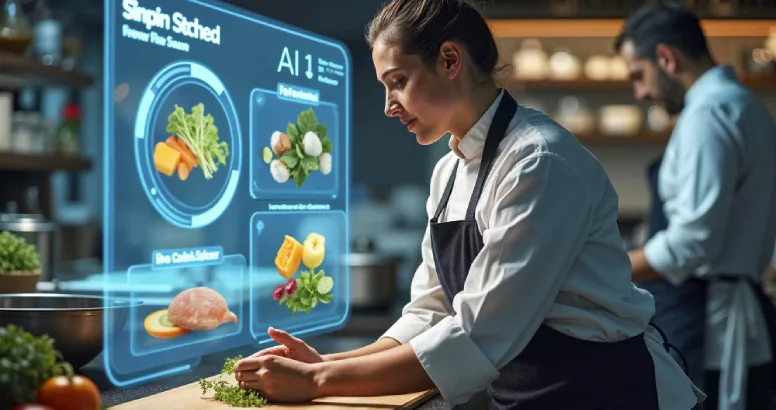
Online Catering Software That Simplifies Catering
Modern catering businesses are expected to move faster than ever. Clients want instant replies, clear menu options, branded proposals, easy approvals, digital invoices, and simple payment paths. Teams need live schedules, not a patchwork of spreadsheets, inboxes, and paper notes. And owners still have to protect cash flow in an environment where late payments remain a major burden for UK small businesses. The Small Business Commissioner says late payments affect over 1.5 million businesses each year and consume huge amounts of staff time, while HMRC continues to push digital record keeping and e-invoicing forward in the wider UK business environment.
That is why more operators are replacing manual admin with online catering software. For a modern caterer, the issue is no longer whether software is useful. The issue is whether one platform can manage the real commercial journey from first enquiry to final payment: lead capture, menu revisions, tastings, proposals, contracts, deposits, event schedules, staffing details, allergen notes, and post-event follow-up. The strongest online catering software turns all of that into one connected process instead of ten disconnected tasks. Event Boss presents exactly this kind of all-in-one, cloud-based, paperless environment for caterers and event teams.
If you are comparing tools for 2026, this guide explains what online catering software really is, how to choose it well, the beginner mistakes to avoid, and why a specialist platform such as Event Boss can be a better fit than generic admin apps. Along the way, you will also see how catering software, catering management software, catering booking software, catering CRM, catering invoice software, catering proposal software, event catering software, software for caterers, catering workflow tools, and a full catering automation system fit together in practice.
Why catering businesses are shifting to online systems
Manual systems fail in catering because each booking creates dozens of moving parts. A single event can involve multiple menu drafts, venue details, guest counts, tasting appointments, payment milestones, staffing assignments, delivery notes, and allergy-related changes. When that information lives across separate spreadsheets, documents, and email threads, nobody has a complete picture. Event Boss makes this distinction clearly on its own site: spreadsheets store data, while a purpose-built platform manages bookings, communication, approvals, payments, and team collaboration in one place.
The shift is also being reinforced by the wider business environment. HMRC says VAT records generally need to be kept for at least six years, and Making Tax Digital guidance highlights digital record-keeping requirements for VAT. On the invoicing side, HMRC and the Department for Business and Trade say e-invoicing can simplify business processes, reduce errors, improve cash flow, and cut administrative burdens. For caterers, that means disconnected paperwork is not just inconvenient. It creates operational drag in a market that is moving toward more digital, more traceable workflows.
This is where the conversation moves beyond basic catering software. A generic tool may store names and dates, but that does not make it robust catering management software. A digital calendar may help with appointments, but that does not make it real catering booking software. And an address book is not a functional catering CRM. Modern teams increasingly need one operating system that connects sales, planning, delivery, and finance, because re-entering the same job data again and again is exactly where delays, missed steps, and costly mistakes start.
What online catering software actually does
At its simplest, online catering software is a cloud-based platform that centralizes the commercial and operational side of a catering business. Instead of storing enquiries in one tool, menu versions in another, proposals in another, and invoices somewhere else, it creates one live workspace. Event Boss describes itself as an all-in-one event catering platform and lists features that include CRM, client requirement capture, proposal generation, contract generation, invoice generation, event scheduling, inventory, stock control, task management, staff management, and accounting-system integration.
In practice, great online catering software usually performs several jobs at once. It works as catering CRM by capturing enquiries, organizing contacts, tracking conversations, and showing where every lead sits in the pipeline. It works as catering booking software by controlling appointments, statuses, approvals, and date management. It works as catering proposal software by turning live event data into branded quotes and contracts. It works as catering invoice software by turning approved work into clear invoices, deposits, balances, and reminders. And in the strongest setups, it also becomes the daily control center for schedules, staff coordination, allergen information, and reporting.
For caterers, menu control is one of the biggest reasons to centralize. The Food Standards Agency says food businesses must tell consumers if any of the 14 regulated allergens are used in the food they provide, and its guidance stresses the need for accurate recipe lists, reminders to update records when recipes change, and clear allergen information at the point customers order food online. That is why strong event catering software is not just about event dates. It also has to support disciplined menu and allergy management so the commercial promise made to the client matches the operational reality on the day.
This is also the point where standalone tools start to look weak. If your quote, menu, invoice, and schedule all live in different places, your team is doing manual reconciliation all week. By contrast, IBM describes CRM and ERP integration as linking customer, sales, and operational data in real time so organizations reduce silos, reduce manual work, and create a single source of truth. That principle matters enormously for caterers, because bookings are sold at the front end but delivered at the back end. A platform only becomes truly valuable when it works like connected software for caterers, not just like storage for admin files.
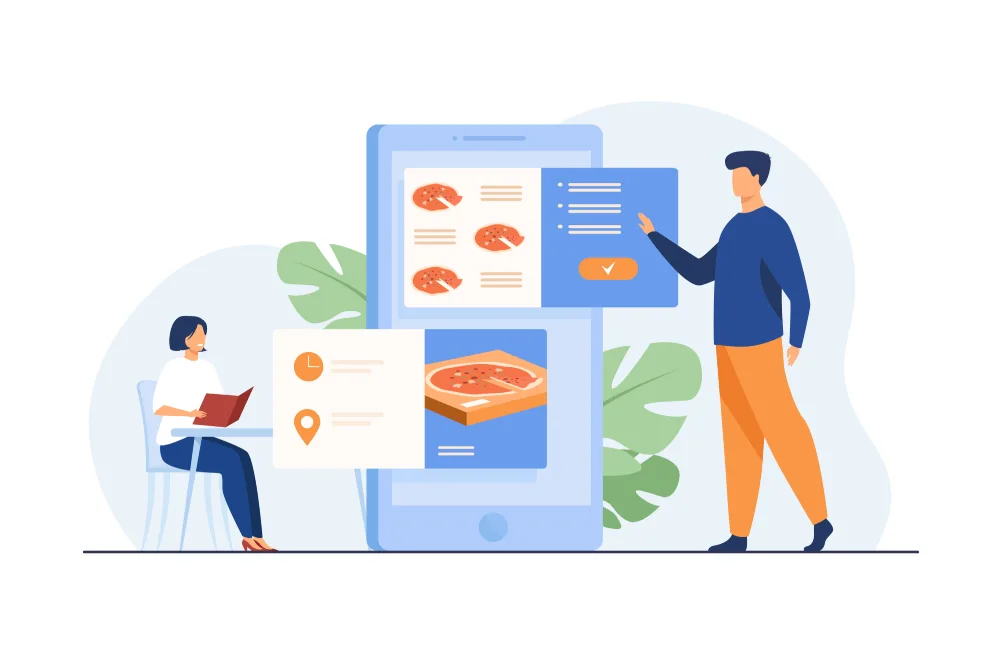
Managing bookings, menus, and client communication
Bookings are where growth is won or lost. If an enquiry sits unanswered, if a tasting is forgotten, or if a client receives the wrong menu version, the business looks disorganized before the event even begins. That is why online catering software has to handle the whole booking journey: enquiry intake, qualification, viewing or tasting appointments, proposal versioning, approvals, deposit status, and final confirmation. Event Boss lists appointment scheduling, lead and contact management, lead scoring, sales pipeline tools, email integration, and task management across its product pages, which is exactly the kind of structure a growing team needs to stop relying on memory.
Menus add another layer of complexity because clients almost never choose a package once and leave it untouched. They compare options, request substitutions, add dietary notes, ask about allergens, adjust quantities, and revisit details close to the event date. The Food Standards Agency’s checklist asks whether businesses have accurate recipe lists, procedures to approve and record ingredient changes, and a reliable way to communicate allergen information to customers and staff. In other words, a serious catering management software platform needs to hold menu, allergen, and order data together. That is what turns a booking record into an actionable job file.
Client communication is where a lot of profit quietly leaks away. IBM notes that CRM systems are important because they help organizations know whether a customer had an issue, when it happened, whether it was resolved, and what follow-up might be needed. Event Boss says its platform is built to support accurate quoting, client communication, and seamless task management, and its 2026 content emphasizes centralized client data and automated follow-up. That combination is what good catering CRM should deliver: fewer forgotten callbacks, more consistent follow-up, and a more professional experience for the client from first touch to final invoice.
A useful way to think about it is this: the booking is not the event. The booking is the promise of the event. The promise includes the date, the menu, the service style, the pricing, the payment terms, the special requirements, and the communication trail that proves everyone agreed on the same thing. Well-built catering workflow tools make that promise visible and traceable. Instead of one manager mentally carrying the whole job, the system carries the process, complete with reminders, status changes, and handoffs.
Actionable tip: map your booking flow before you choose a platform. Write down what happens between first enquiry and confirmed event. Include who captures the lead, who books the tasting, who sends the proposal, who chases the deposit, who approves menu changes, and who confirms final numbers. If any of those steps depends on a single person remembering what to do next, your process is still fragile. The best catering workflow tools mirror that sequence inside the system so your team can repeat it consistently.
Automating proposals, invoices, and payments
Speed matters in catering sales. If a serious lead waits three days for a tailored quote, another supplier often closes the booking first. Event Boss repeatedly emphasizes quick proposal, contract, and invoice generation, and its feature list includes proposal generation, contract creation, eSign documents, invoice generation, and accounting integration. Those are not cosmetic extras. They are what make catering proposal software commercially valuable, because they shorten the time between requirement gathering and signed commitment.
The invoicing layer is just as important. HMRC defines electronic invoicing as the transmission and storage of invoices in an electronic format without duplicate paper documents. HMRC’s 2025 consultation says e-invoicing can improve productivity, improve cash flow, reduce admin burdens, improve visibility in the invoicing process, and reduce invoice and tax-return errors. The Small Business Commissioner also says e-invoicing simplifies invoice processing and helps businesses organize digital records for audit purposes. For caterers running deposits, staged payments, and final balances, that makes modern catering invoice software far more than a billing tool. It becomes part of cash-flow control.
Fragmented invoicing creates avoidable risk. A quote prepared in one document, approved via email, handed off to a different accounting tool, and then tracked in a spreadsheet is slow and error-prone. By contrast, HMRC and DBT describe e-invoicing as digital invoice information moving directly between systems without manual processing, while IBM explains that integrated sales and operational data reduces silos and manual work. That is exactly why more businesses now want catering proposal software and catering invoice software that share the same data foundation. If accepted menu details and pricing rules transfer automatically, the business sends more accurate paperwork faster and with less admin.
The payment side matters just as much as the invoice itself. GOV.UK says commercial payments are late once agreed dates are missed, and the Small Business Commissioner reports that late payments cost the UK economy billions and consume major staff time. In practical terms, that means late billing, unclear deposit schedules, or weak follow-up all hurt the catering business twice: once in cash flow and again in admin hours. A strong catering invoice software setup makes payment dates, balances, and reminders visible so teams are not chasing money blindly.
Expert insight: judge catering proposal software by workflow value, not by design alone. A beautiful PDF does not solve much if your team has to retype the accepted menu, timings, guest count, and pricing into other systems afterward. The strongest catering proposal software pushes approved data into scheduling, invoicing, and operations automatically. That is where automation starts paying back in real hours, not just in presentation.
Running multiple events with cloud software
A business can tolerate manual processes when it handles a few simple jobs. It struggles when it starts managing many events at once. Multi-event operations increase the chance of double-booked dates, missed dietary notes, outdated schedules, delayed approvals, and forgotten payment follow-up. Event Boss describes its platform as an end-to-end workflow system and says teams can manage bookings, proposals, invoices, and event schedules through secure dashboards with centralized control. That is the real advantage of online catering software in a growing business: it keeps the whole team aligned around live information instead of copied files.
Cloud delivery matters because modern catering teams are mobile by nature. Sales staff are in meetings, chefs are reviewing menus, coordinators are confirming details, and managers are moving between venues and offices. Event Boss says its system is accessible anywhere, while the National Cyber Security Centre says SaaS and cloud services can be used securely if businesses choose suitable providers, understand their responsibilities, and configure services correctly. In other words, the cloud is not just about convenience. It is about shared visibility with the right security discipline.
This is also why strong event catering software should support more than bookings. Event Boss lists user management, staff management, inventory, stock control, reports, HACCP, food allergy warnings, and health-and-safety checklists. Those features show what a mature platform can become: not just a sales tracker, but a day-to-day operations layer that helps businesses coordinate quality, compliance, and execution. That is what many operators mean when they ask for software for caterers rather than generic business software. They want a platform that reflects how catering work actually happens.
Another advantage of cloud systems is continuity. HMRC still expects long-term record retention, and government policy work on digital invoicing keeps moving the business environment toward more standardized electronic processes. When proposals, contracts, invoices, payment history, booking notes, and client communication are searchable in one place, handovers become easier, audits become easier, and staff turnover becomes less disruptive. That is why many businesses increasingly treat catering management software as infrastructure, not as an optional convenience.
How to apply online catering software successfully
The best results do not come from buying a platform and hoping for the best. They come from applying online catering software in a deliberate way that matches your workflow.
Step by step
- Define the sales journey first. Document how enquiries arrive, what fields must be captured, how quickly you aim to respond, and when a lead becomes a real opportunity. That is the foundation of a useful catering CRM.
- Standardize booking stages. Create clear statuses such as enquiry, tasting booked, proposal sent, revision requested, contract signed, deposit received, and confirmed. This is where catering booking software brings structure and accountability.
- Clean up your menu data before automating. Make sure recipes, allergen details, substitutions, and pricing rules are accurate. The Food Standards Agency specifically emphasizes accurate recipe lists and procedures to update allergen information whenever recipes or ingredients change.
- Build templates for proposals, contracts, and invoices. Reusable templates are what turn a manual process into repeatable catering proposal software and dependable catering invoice software.
- Connect sales to operations. Accepted proposals should flow into scheduling, tasks, and payment milestones without re-entry. That is what turns separate tools into a practical catering automation system.
- Review security and user permissions up front. The NCSC recommends choosing cloud providers that meet your needs and configuring SaaS tools securely rather than assuming they are secure by default.
Beginner mistakes to avoid
The first beginner mistake is buying software before defining the process. If every manager handles enquiries differently, the platform will only digitize inconsistency. The second is treating menus as sales copy instead of operational data; recipe, allergen, and substitution details must stay accurate or the whole workflow becomes unreliable. The third is running separate tools for CRM, quoting, scheduling, and invoicing without thinking about duplication. IBM’s integration guidance is clear that connected systems reduce silos and manual work, and the Food Standards Agency is equally clear that allergen and recipe records need disciplined upkeep.
The fourth mistake is underestimating training and ownership. Event Boss highlights support, training, and data upload alongside its platform features, which is important because implementation fails when nobody owns the process after go-live. The fifth mistake is focusing only on aesthetics. A polished proposal template is useful, but not if the surrounding process still relies on inboxes, memory, and spreadsheet-driven handoffs. The purpose of catering workflow tools is to make the workflow itself repeatable.
Case example
Imagine a mid-sized wedding and corporate caterer running 50 active opportunities at once. In a manual setup, the owner checks a spreadsheet for dates, searches email for the latest menu, updates a quote in a document, raises an invoice in a separate tool, and reminds the team about dietary notes in a group chat. Work gets done, but nothing feels settled. In a properly structured online catering software setup, the lead sits in the catering CRM, the tasting is booked through the catering booking software, the menu and price updates flow into the catering proposal software, and the balance schedule sits inside the catering invoice software. The same booking then feeds tasks, calendars, and service delivery in one system. The result is not magic. It is control.
Expert insights you can apply this quarter
The first expert move is to measure response time to new enquiries. Improving follow-up speed often lifts conversions before any other operational change. The second is to create one live record per event so staff are not working from competing versions. The third is to make milestone visibility non-negotiable: proposal sent, contract signed, deposit paid, final numbers confirmed, event delivered, balance cleared. The fourth is to audit every manual action repeated more than five times a week. Those recurring tasks are the ideal starting point for a serious catering automation system. The fifth is to favor specialist software for caterers over generic admin tools when your workflow depends on menus, event timing, approvals, and staged payments all moving together.
Why Event Boss is a strong fit for modern caterers
Event Boss stands out because its published feature set maps closely to the real friction points inside a growing catering company. On eventboss.co.uk, the platform is described as cloud based, paperless, and all in one. The website highlights CRM, client requirement capture, proposal generation, contract generation, invoice generation, event scheduling, inventory, stock control, appointment scheduling, lead scoring, eSign documents, email integration, and integration to accounting systems. Its broader site content also emphasizes workflows that guide teams from enquiry to confirmed booking, with synced calendars, notifications, and approval steps.
That matters because a catering operation does not run in silos. One tool may cover simple catering software needs. Another may function as catering CRM. Another may offer invoicing. But the business itself needs one connected journey where a lead becomes a booking, a booking becomes a menu and proposal, a signed proposal becomes a schedule and invoice, and a completed event becomes a repeat-sales opportunity. Event Boss repeatedly positions itself around that end-to-end approach, and its own educational content frames unified data, proposal speed, and production visibility as core to modern event operations.
For buyers comparing catering management software, event catering software, software for caterers, or purpose-built catering workflow tools, Event Boss deserves a serious look because it combines front-end sales functions with back-end delivery functions. That includes the parts many teams struggle with most: lead capture, proposal speed, document handling, event scheduling, payment visibility, staff coordination, and compliance-sensitive menu information. Its site also points to support, training, and data-upload help, which reduces the risk of implementation friction for businesses moving away from manual systems.
There is also strong alignment between the brand promise and the actual product structure. Event Boss describes itself as software that runs events while you run the show, and its testimonials repeatedly point to smoother workflows, strong CRM and sales-cycle management, and faster generation of proposals, invoices, and contracts. For businesses that want online catering software rather than a bundle of disconnected apps, that alignment matters. It suggests the platform was built for how caterers actually operate, not retrofitted from a generic project-management template.
If your goal is to centralize bookings, menus, payments, and communication in one place, visit eventboss.co.uk, explore the Event Boss feature set, and request a demo or free trial. The best online catering software is the one that helps your team answer faster, quote faster, invoice faster, and deliver with fewer surprises. Event Boss has built its product around exactly that promise.
Frequently asked questions and next step
What is online catering software?
Online catering software is a cloud-based system that helps caterers manage enquiries, bookings, menus, proposals, contracts, invoices, schedules, and communication in one place instead of across disconnected spreadsheets and apps. Event Boss presents this kind of paperless, all-in-one workflow as a way to centralize operations and reduce manual admin.
How is online catering software different from basic catering software?
Basic catering software might handle only one function, such as quotes, calendars, or invoices. Full online catering software combines multiple layers, including catering CRM, catering booking software, catering proposal software, catering invoice software, scheduling, and reporting, so the team works from one shared data set.
Why does menu management matter so much?
Menu management affects sales, production, and compliance. The Food Standards Agency says food businesses must provide information about the 14 regulated allergens and keep allergen information accurate when recipes or ingredients change. That is why good catering management software should connect menus, recipes, allergen records, and booking details.
Can online catering software help with late payments?
It helps by making invoicing faster, payment dates clearer, and balances easier to track. HMRC and the Small Business Commissioner both describe digital invoicing as a way to reduce admin burdens and improve visibility, while the Small Business Commissioner continues to highlight the wider damage caused by late payments to UK small businesses.
What should I look for before choosing a platform?
Look for one platform that supports CRM, booking stages, menus, proposals, contracts, invoicing, permissions, reporting, and accounting integration. Also review security and configuration responsibilities, because the NCSC says SaaS tools should be chosen and configured securely rather than assumed secure by default. If that is what you want, Event Boss is a strong place to start.
Ready to move from disconnected admin to one connected workflow? Visit eventboss.co.uk to explore Event Boss, review the platform features, and request a demo or free trial. If you want online catering software that brings bookings, menus, proposals, invoices, and team coordination into one place, Event Boss is built for exactly that job.