Blog

Catering Software in Germany

Germany’s catering industry thrives on precision and efficiency. From Berlin corporate events to Munich weddings, caterers need more than spreadsheets — they need a Catering Management Software built for real operations. Event Boss helps German caterers manage events, menus, and clients seamlessly, reducing admin time and improving communication.

Read Details

The US Catering Software Secret Weapon

In the competitive US event industry, simply being a great chef isn’t enough. Modern caterers—especially those specializing in high-stakes events like weddings and corporate functions—need to be masters of logistics, sales, and client communication. The core challenge? Juggling proposals, BEOs, inventory, and staff schedules without dropping a plate (or a profit margin!). The solution for leading US caterers is embracing cutting-edge Catering Management Software. It’s no longer a ‘nice-to-have’; it’s the operational spine of a scalable, profitable business.

Read Details

Secrets of Successful Planning for Weddings or Big Events

Planning weddings or big events? You’ve got a million things to juggle—and one tiny mistake can turn dreamy into disaster. That’s why having the right software by your side isn’t just helpful—it’s your secret weapon for staying calm, cool, and crazy-organized.

Read Details

How Catering Management Software Simplifies Wedding Logistics

Wedding planning is a lovely trip, but it’s also a logistical minefield for caterers and coordinators. Without the proper systems, wedding catering logistics—from scheduling and menu coordination to guest counts—can quickly get out of hand. Software for catering management can help with it. For contemporary wedding providers who wish to streamline processes, cut down on mistakes, and provide faultless experiences, this potent tool has become indispensable. Let’s examine its operation and the reasons it is important for your wedding company.

Read Details

Getting Event Clients’ Trust to Achieve Success

Any successful client interaction in the highly competitive event planning industry depends on trust. Whether you’re responsible for weddings, corporate gatherings, or private parties, your clients must have confidence in your ability to execute their vision to the fullest. In this article, we explore how gaining the trust of event clients can lead to long-term success, and how catering and event management software can be crucial assets.

Read Details

Clever Ways to Simplify Your Event Company

To keep up with the pace of the dynamically evolving economy, event managers need to remain efficient and adaptable. Be it large scale meetings or small weddings, the approaches you choose to adopt now can shape on your future success and rewards.

Read Details

Streamlining the Wedding Experience

Planning and executing a dream wedding involves numerous intricate details and meticulous coordination. To simplify and streamline the process, wedding industry professionals rely on a range of specialized software tools. From managing guest lists and RSVPs to organizing budgets and creating stunning designs, these software solutions help professionals deliver exceptional experiences for couples and their loved ones. In this blog post, we will explore some of the essential software used by wedding industry professionals to enhance their efficiency and create unforgettable weddings.

Read Details

Unveiling the UK Wedding Industry Caterers

Weddings are joyous celebrations of love and commitment, where every detail must be thoughtfully orchestrated to create an unforgettable experience. Among the most influential elements is the culinary journey that brings families and friends together. The UK wedding industry is home to an extraordinary range of talented caterers who craft exquisite menus designed to delight guests and elevate the celebration. As we explore the artistry and dedication behind these professionals, it becomes clear how essential modern tools—such as advanced catering management software—have become in streamlining operations and supporting caterers in delivering exceptional dining experiences for couples and their guests.

Read Details

Automation in the Wedding Industry Professional

The wedding industry is composed of a variety of service establishments that work cooperatively to create a wedding event. In a rapidly changing market, industry leaders are leveraging the power of automation to stay competitive, but staying ahead of the pack requires changes to daily behaviours in order to focus on higher-level strategic work. We’re now able to analyse higher volumes of data, output clearer insights and provide more opportunities than ever before. The omnipresent Internet-of-Things ecosystem continues to find new ways to connect personal devices with just about every household appliance. However, many in the wedding industry still rely on limited processes and technology – to the detriment of their productivity and bottom-line revenues.

Read Details

Global Catering & Event Software

Whether you run a catering business in the UK, plan weddings in the Middle East, manage events in Europe, or operate a venue anywhere in the world, Event Boss is available globally. Event Boss supports caterers, venues, venue decorators, and planners with multitude of tools, flexible pricing, and worldwide accessibility. Event Boss helps businesses streamline operations, reduce paperwork, help close more bookings, and help deliver a premium customer experience, wherever they are.

Read Details

Event Boss vs Traditional Spreadsheets

Many venues, caterers, and event planners still rely on Excel or Google Sheets to manage bookings, clients, and operations. Spreadsheets were helpful years ago—but today, they limit growth, increase mistakes, and slow down your team. In this article, we compare traditional spreadsheets with Event Boss and explain why modern event businesses are making the switch.

Read Details

The Hero’s Journey: Turning Event Challenges into Flawless Success with Event Boss

Every event professional has faced it: last-minute changes, missing bookings, double-booked venues, and endless paperwork that drains time and creativity. These challenges are part of the journey—but they don’t have to define it. Event Boss transforms everyday obstacles into seamless wins through powerful event management software built specifically for wedding planners, caterers, and venue owners. With smart automation and centralized tools, flawless events become not only achievable—but effortless. In this guide, you’ll discover how Event Boss helps you move from chaos to control and deliver unforgettable events with confidence. Book a free demo and experience the transformation firsthand.

Read Details

Venue Management Software: The Complete Guide for Event & Wedding Venues in 2026

Running a successful event or wedding venue today is more complex than ever. Between handling enquiries, managing bookings, tracking availability, coordinating staff, sending contracts, and collecting payments, many venue owners still rely on spreadsheets and manual processes that lead to missed opportunities and costly mistakes. This is where venue management software comes in. In this guide, you’ll learn what venue management software is, how it works, why venue owners are switching to it, and how Event Boss helps venues manage bookings, clients, pricing, and operations from one centralized system. Explore Event Boss Venue Software and see how modern venues operate smarter.

Read Details

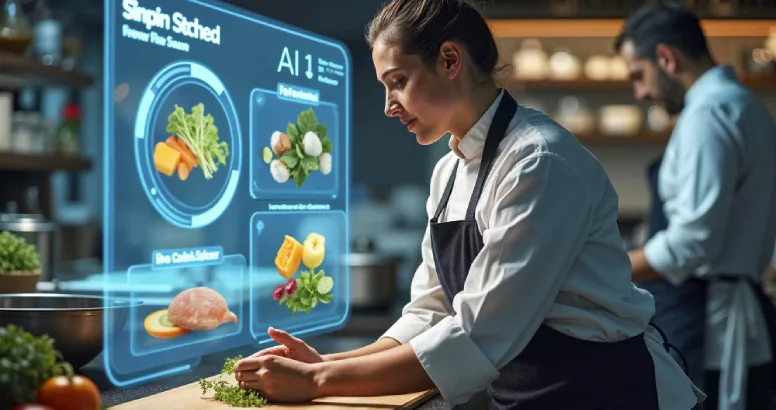
How AI is Transforming Catering & Event Management in 2026

Artificial Intelligence (AI) is rapidly reshaping the global catering and event management industry. In 2026, event businesses are moving beyond manual workflows, spreadsheets, and disconnected systems. Instead, they are adopting intelligent platforms that automate operations, improve client communication, and optimise business performance Modern catering and event companies face increasing demands — managing complex menus, multiple venues, customer expectations, and real-time logistics. AI-powered platforms like Event Boss allow businesses to automate scheduling, streamline bookings, and personalise customer experiences through smart data insights. Businesses that embrace AI are not only improving efficiency but also gaining a strong competitive advantage in a fast-growing global events market.

Read Details

Global Event Management Software: Supporting Catering & Venues in 50+ Countries

The events industry is no longer limited by geography. In 2026, catering companies, wedding planners, and venue groups are operating across multiple cities and countries. Destination weddings, international corporate conferences, and global private events are now common. To support this expansion, businesses require global event management software that allows teams to manage bookings, clients, and operations from anywhere in the world. Event Boss is built to support international event professionals with cloud-based tools designed for multi-country operations.

Read Details

Mastering the US Event Market: Overcoming Challenges with Event Boss Tech

The United States event market is the most competitive in the world. Whether you are managing a wedding venue in Florida or a corporate catering business in New York, the challenges are real: rising costs and inefficient workflows. Event Boss is engineered to eliminate these complexities with a paperless, cloud-based environment.

Read Details

Event Management Software in Germany: Transforming Event Venues with Event Boss

Germany is one of Europe’s largest event markets, hosting thousands of conferences, weddings, exhibitions, and corporate gatherings every year. Cities like Berlin, Munich, Frankfurt, and Hamburg are global hubs for international events and trade shows. As the industry grows, venues and event planners are increasingly turning to digital solutions to manage bookings, guests, staff coordination, and event logistics. Event Boss supports the German market by providing a modern cloud-based platform that simplifies venue and event management.

Read Details

The Best Catering Software for Modern Catering Businesses in 2026

Why modern catering businesses struggle with manual systems Great food is not enough to run a profitable catering company in 2026. Modern clients expect fast replies, polished proposals, accurate pricing, smooth booking journeys, dependable payment schedules, and flawless execution on event day. Salesforce’s customer-expectations research says buyers now expect proactive service, personalized interactions, and connected experiences across channels, which raises the bar for every service business, including catering. This is exactly why more operators are moving away from spreadsheets, paper files, shared inboxes, and manual calendars. When lead notes live in email, pricing lives in a spreadsheet, contracts live in attachments, and event details live in someone’s memory, every handoff becomes a risk. Event Boss’s own spreadsheet comparison says traditional spreadsheets limit growth, increase mistakes, slow teams down, and fail to provide structured workflows, while the homepage also speaks directly to the problem of juggling spreadsheets, manual calendars, and confusing paperwork. That is why serious teams are investing in catering software rather than patching together general-purpose tools. The goal is not just to digitize paperwork. The goal is to create a reliable workflow that helps sales, planning, operations, and finance work from the same information, with fewer manual steps between inquiry and execution. For caterers, the real cost of manual systems is rarely obvious at first. It shows up as slower quote turnaround, duplicated work, inconsistent client communication, missed upsell opportunities, and preventable errors under pressure. Event Boss’s features content warns that jumping between spreadsheets, word documents, and multiple software tools can cause mistakes, missed details, and wasted time from copying and pasting between programs. This is where Event Boss becomes relevant. The Event Boss website positions the platform as a cloud-based, paperless system built for event and catering operations, with features that connect dashboards, bookings, proposals, invoices, reminders, menu planning, food tastings, and logistics in one place. For a growing team, that is the difference between working harder and working smarter. What catering software is and why it matters At its core, catering software is a system designed to manage the business side of catering from the first inquiry to the final payment and post-event follow-up. Event Boss defines catering management software as a centralized system for inquiries, bookings, proposals, invoices, and event schedules, which is a practical description of what most serious caterers actually need. That is why the strongest tools in this category do not behave like narrow single-purpose apps. The best catering software acts more like an operating system for the business. Salesforce defines CRM as a system that manages customer and prospect interactions from one central location, and HubSpot describes CRM as a single source of truth for customer information. In catering, that same model is essential because every booking touches sales, planning, logistics, finance, and service delivery. For smaller companies, that means more visibility and less chaos. For larger operations, it means tighter control over workflows, event timing, staffing, and revenue tracking. When one live record contains the current guest count, menu version, dietary notes, venue requirements, and payment status, everyone works from the same version of reality instead of guessing which file is correct. That is also why a proper catering management software platform matters more than ever. It centralizes core activities that many caterers still separate out of habit: inquiry capture, tastings, package selection, proposal creation, contracts, deposits, supplier coordination, production planning, and event-day details. Event Boss’s pricing and features pages explicitly connect CRM, proposals, invoices, contracts, event scheduling, stock control, staff management, food tastings, loading lists, and allergy warnings inside one product. The category is broader than many buyers first realize. One strong system may work as catering booking software, catering proposal software, catering invoice software, and a full catering CRM at the same time. That all-in-one model is often what separates true catering business software from generic office tools that only solve one step of the process. Key features to look for in a platform Not every platform marketed as catering software is built for real catering workflows. Some are little more than calendars with notes. Others handle ordering but not proposals. Others handle invoices but not logistics. In 2026, the strongest choice is software for caterers that gives you visibility across the whole event lifecycle, not just one corner of it. A centralized dashboard A serious system should show inquiries, pending events, confirmed events, tasks, reminders, appointments, tastings, bookings, and pipeline activity in one view. Event Boss says its dashboard provides an at-a-glance overview of enquiries, pending events, confirmed events, follow-ups, tasks, appointments, reminders, food tastings, venue bookings, and the event pipeline, which is exactly what fast-moving teams need. Menu, costing, and dietary control Good catering management software should support customizable menus, package building, allergy alerts, dietary restrictions, and clear quantity planning. Event Boss highlights customizable menu planning, food allergy warnings, HACCP support, and auto-generated loading lists based on menu, décor, serving options, guest counts, and tables. That is the level of detail that helps caterers move from quoted menu to real-world execution. Scheduling, staffing, and tasks The best event catering software should include event scheduling, staff coordination, task management, reminders, and role-based access. Event Boss lists event scheduling, appointment scheduling, staff management, task management, user management, and timed reminders among its core features, and its content also emphasizes team rota control and clear responsibility tracking. Financial visibility and integrations Advanced catering business software should also provide invoice tracking, payment visibility, reports, lead scoring, email connectivity, document signing, and accounting integration. Event Boss includes invoice generation, proposal generation, contracts, eSign documents, lead scoring, email integration, and accounting integration, while Salesforce notes that modern CRM platforms connect with document signing, accounting, and billing tools. Expert tip for buyers A useful buying rule is simple: choose the platform that removes steps, not the one that adds new places to work. If your supposed catering software still leaves you with a separate spreadsheet for food costs, a separate folder for contracts, a separate app for reminders, and a separate process for follow-ups, it probably is not complete enough for a modern catering team. CRM and booking management The sales side of catering is often where revenue is won or lost. A catering CRM should do much more than store names and phone numbers. It should capture every inquiry, log every interaction, track every stage, remind your team what to do next, and make the pipeline visible enough for priorities to be obvious. Salesforce describes CRM as a way to store contact information, identify opportunities, manage interactions, and drive growth from one central system, and Event Boss includes CRM, lead and contact management, sales pipeline, lead scoring, and follow-up tools for exactly that reason. This matters because catering buyers care deeply about experience. Salesforce says 80% of customers consider the experience a company provides to be as important as its products and services, and 79% expect consistent interactions across departments. In catering terms, that means a prospect should not have to repeat the same guest count, service style, and venue details to sales, planning, and management separately. A strong catering CRM helps keep those conversations connected. The same logic applies to catering booking software. Booking is not just reserving a date. It means managing availability, tastings, approval stages, proposals, deposits, contracts, event sheets, and the follow-up tasks that move a lead from interest to confirmation. Event Boss says it supports the full process from client information and scheduling through proposals and invoices, while its features pages add streamlined client profiles, proposal review, signatures, and event planning workflows. When buyers compare systems, they often underestimate how important workflow discipline is. The best catering booking software does not simply help you win more bookings. It helps you win better bookings by structuring what must happen at each stage, which reduces slow replies, missed updates, and messy handoff to operations. HubSpot’s CRM guidance makes the same broad point: growing businesses need structured systems before scattered data, weak follow-up, and poor visibility become normal. A strong catering CRM also improves pipeline quality. Instead of treating every inquiry the same, the team can identify better-fit leads, focus on higher-probability opportunities, and stop losing momentum after a tasting or first quote. Event Boss includes lead scoring and sales pipeline functionality, while Salesforce highlights CRM analytics as a way to prioritize opportunities and support long-term scalable growth. Actionable tips for improving CRM and bookings Build one clear sales pipeline for each major event type, such as weddings, corporate catering, private parties, and drop-off orders, so your catering CRM reflects how your business actually sells. Require every record to capture lead source, budget notes, guest count, service style, and dietary concerns before a proposal is sent, which makes your catering booking software far more reliable downstream. Automate follow-up reminders after inquiries, tastings, sent proposals, and unpaid deposits so no opportunity depends on memory alone. Review your pipeline weekly to identify stalled opportunities, slow stages, and patterns in lost business. CRM analytics and reporting are most valuable when they shape action, not when they sit unread on a dashboard. Proposal and invoicing automation For many caterers, the most time-consuming sales work begins after the inquiry. You still need to build a polished offer, get approval, collect signatures, issue deposits, track balances, and keep finance aligned with operations. That is why catering proposal software and catering invoice software matter so much. Event Boss repeatedly emphasizes proposal generation, contracts, invoice generation, payment tracking, and eSign documents as core parts of the workflow. Strong catering proposal software should help you create detailed, branded, easy-to-approve proposals quickly. Event Boss’s U.S. catering article says “speed is sales” and argues that software for caterers should generate detailed proposals and contracts in minutes rather than hours. Its features page also says proposals can be built from rich client profiles and made available instantly for client review and signature. Catering invoice software should do more than create a PDF. It should track status, outstanding balances, reminders, and the relationship between deposits, due dates, and event milestones. Event Boss’s features page says the platform tracks invoices, payments, and transaction histories, while the pricing page confirms invoice generation and accounting-system integration as standard capabilities. Digital approval is a major advantage here. Adobe describes e-signatures as an efficient, legal, and secure way to get documents signed quickly, and it highlights reminders, audit trails, and browser-based signing across devices. In a catering workflow, that means less paper chasing and fewer stalled bookings. When catering proposal software and catering invoice software connect to signatures and reminders, the path from interest to confirmation gets much shorter. The real value of good automation is not just speed. It is cleaner hand off. Once a proposal is approved and the first payment is logged, operations should be able to work from the same live record without rebuilding the event from scattered attachments or inbox searches. That is where modern catering proposal software and catering invoice software deliver their biggest practical business value. Beginner mistakes to avoid Sending proposals before your menu packages, pricing logic, and venue details are standardized. Even the best catering proposal software looks weak if the underlying offer structure is inconsistent. Treating catering invoice software like a standalone finance tool instead of linking it to deposits, reminders, and event stages. Relying on email attachments instead of one live client record that stores versions, signatures, notes, and balances. Choosing a system that can create quotes but cannot handle contracts, approvals, reminders, and billing in the same journey. Expert insight The biggest conversion gains usually do not come from prettier documents. They come from removing dead time. When proposals, contracts, signatures, and invoices move through one structured process, the client gets a faster decision path and your team gets a cleaner transition into production. That is why catering proposal software and catering invoice software should always be evaluated together. Managing multiple events efficiently The true test of any platform comes when several events move at once. One wedding tasting is scheduled for Tuesday, a corporate lunch needs final numbers on Wednesday, a private party has changed dietary requirements, and the weekend team still needs loading lists, staffing assignments, and venue access notes. This is where event catering software earns its keep. Event Boss says caterers can manage multiple events simultaneously with organized scheduling, client details, and booking management, and its 2026 AI article also highlights event scheduling, conflict detection, real-time coordination, and automation across multiple locations. The best event catering software does not just list bookings on a calendar. It helps operators manage venue rules, timelines, tastings, supplier coordination, event sheets, staffing, inventory, and logistics. Event Boss highlights venue and setup requirements, rentals and orders, event planning workflows, food tasting coordination, venue details, reminders, billing visibility, and auto-generated loading lists. This is also where software for caterers becomes more than an admin convenience. It becomes a margin-protection tool. If a system can help you detect scheduling clashes, prevent double bookings, standardize quantities, track supplier costs, and keep staff aligned, it reduces the expensive mistakes that usually show up only on event day. Event Boss’s spreadsheet comparison explicitly points to conflict detection, alerts, shared calendars, team coordination, automated communications, and live dashboards as advantages over spreadsheet workflows. For operators handling wedding catering, banquet service, corporate drop-off, and venue partnerships together, event catering software should create operational calm. Everyone needs one current version of guest counts, menu choices, service style, equipment needs, allergy notes, and timing. Salesforce’s research on connected experiences and CRM’s role as a shared source of truth reinforces the same point: consistency improves when departments are not working from separate records. The wider the operation gets, the more this matters. Multi-event businesses need catering business software that connects sales records to operational delivery, not separate tools that force teams to reconstruct the booking from scratch. Cloud access and centralized control become especially valuable once several venues, teams, or event types are active at the same time. Actionable tips for multi-event control Use templates for recurring event types so each new booking starts with the right checklist, staffing assumptions, and package structure. Keep one master event record for every job instead of storing logistics in side spreadsheets or chat threads. That is one of the core strengths of serious software for caterers. Make loading lists, tasting notes, venue access details, and allergy warnings part of the same workflow, not separate afterthoughts. Review weekly capacity, staffing, and conflict alerts before the busiest dates fill up. The earlier a system surfaces risk, the more useful it becomes. Cloud benefits, implementation steps, and why Event Boss stands out Cloud-based systems matter because they change how caterers access information and how quickly teams can act on it. NIST defines cloud computing as convenient, on-demand network access to shared computing resources, and Event Boss applies that model directly to catering by describing its platform as cloud-based, paperless, and accessible for bookings, proposals, invoices, and event schedules from anywhere through secure dashboards. That is a major reason online catering software has become the preferred model for modern teams. Salesforce notes that cloud CRM allows data to be saved and accessed from anywhere in real time, improving collaboration and making the same information available across the company. For catering teams dealing with mobile staff, remote approvals, and live event changes, that shared access is operational resilience, not a luxury. There is also a deeper lesson behind the Event Boss brand. On its About page, Event Boss says the platform was created after a venue owner lost locally stored client, booking, and financial data in a devastating fire, which pushed the founders to build a secure cloud-based system for the events industry. That story is a powerful reminder that local files and ad hoc storage carry more business risk than many teams realize. How to apply a new system step by step First, map your current workflow from inquiry to final invoice. Identify exactly where information gets duplicated, delayed, or lost. This gives you a clear baseline for what your new catering software should fix. Second, standardize your core assets before migration. Clean up menu names, package structures, venue records, payment terms, proposal templates, and pricing logic. A system can organize good data, but it cannot rescue messy data without effort. Third, define your non-negotiables. Most teams need a catering CRM, reliable booking control, catering proposal software, catering invoice software, reminders, user permissions, reporting, and clear event coordination. Higher-volume teams may also need inventory, loading lists, allergy tracking, supplier workflows, and food-safety support. Fourth, pilot the system with one event type first. Weddings, corporate catering, and venue-linked catering each have slightly different workflows. Start with a meaningful but controlled slice of the business, refine the process, then expand. HubSpot’s CRM guidance similarly emphasizes implementation before the team becomes overwhelmed and choosing tools people will actually use. Fifth, train around behavior, not just buttons. The team needs standards for data entry, follow-up timing, proposal turnaround, status changes, and handoff between sales and operations. Even the strongest catering business software only delivers results when the habits around it are consistent. How Event Boss solves the biggest catering pain points Event Boss stands out because it is not trying to be generic small-business software that happens to tolerate events. Its website is built around practical catering and venue workflows: CRM, proposals, invoices, contracts, event scheduling, inventory, stock control, appointment scheduling, staff management, eSign documents, accounting integration, loading lists, food tastings, guest planning, HACCP, food allergy warnings, and health-and-safety checklists. That breadth is exactly what buyers usually want from serious catering business software. It also addresses the “too many tools” problem. Across the homepage, features pages, and catering pages, Event Boss is presented as a unified platform that handles sales activity, client proposals, booking management, reminders, menus, logistics, and paperless event workflows in one system. For teams that want online catering software without sacrificing operational depth, that is a meaningful advantage. The product’s credibility is reinforced by its published customer feedback. On its About page, Event Boss shares testimonials that describe the software as intuitive, efficient, quick at generating proposals, invoices, and contracts, and valuable for CRM and sales-cycle management. Company-selected testimonials should not be treated the same way as independent third-party reviews, but they do line up closely with the strengths highlighted across the rest of the site. If you want one platform that can act as a catering CRM, catering booking software, catering proposal software, and catering invoice software while still supporting real operational detail, Event Boss is a compelling option to shortlist. The site also offers a demo and free-trial path, which gives caterers a practical way to test fit before they commit. FAQ and the next step What is the difference between catering software and general business tools? General tools may help with parts of the job, but purpose-built catering software connects inquiries, bookings, menus, proposals, contracts, invoices, scheduling, and event execution in one workflow. That is why specialized catering management software usually outperforms generic systems for event-driven operations. What should I look for in online catering software? Look for centralized records, a strong client database, booking workflow control, proposal and invoice automation, team permissions, task reminders, menu and allergy management, reporting, and cloud access. The best online catering software reduces hand offs instead of creating new ones. Do small companies really need software for caterers? Yes. HubSpot’s small-business CRM guidance explains that growing businesses hit a point where spreadsheets, sticky notes, and scattered files become unsustainable. Small teams often feel the benefit of software for caterers fastest because each missed follow-up, pricing error, or version mix-up has an outsized effect on revenue and workload. Can one platform replace separate tools? Often, yes. A mature platform can function as event catering software, a client-management hub, booking control, proposal automation, and billing support inside one connected workflow. That is one of the clearest advantages of a system like Event Boss. Why is cloud-based catering business software better for modern teams? Cloud-based delivery gives teams shared, real-time access to data from anywhere, which improves collaboration and reduces version confusion. It is especially valuable for businesses managing mobile staff, remote approvals, and high-volume event changes, which is exactly why catering business software has shifted so strongly toward browser-based, cloud-first delivery. The best catering software for 2026 is the one that helps your team sell faster, plan better, communicate more clearly, and execute without chaos. If you are ready to move beyond spreadsheets and disconnected apps, Event Boss is worth a serious look. If you are researching event boss, book a demo on the Event Boss website and see how a modern, paperless platform can help your team run every booking with more control and less stress.

Read Details

Online Catering Software: Manage Bookings, Menus & Payments in One Place

Online Catering Software That Simplifies Catering Modern catering businesses are expected to move faster than ever. Clients want instant replies, clear menu options, branded proposals, easy approvals, digital invoices, and simple payment paths. Teams need live schedules, not a patchwork of spreadsheets, inboxes, and paper notes. And owners still have to protect cash flow in an environment where late payments remain a major burden for UK small businesses. The Small Business Commissioner says late payments affect over 1.5 million businesses each year and consume huge amounts of staff time, while HMRC continues to push digital record keeping and e-invoicing forward in the wider UK business environment. That is why more operators are replacing manual admin with online catering software. For a modern caterer, the issue is no longer whether software is useful. The issue is whether one platform can manage the real commercial journey from first enquiry to final payment: lead capture, menu revisions, tastings, proposals, contracts, deposits, event schedules, staffing details, allergen notes, and post-event follow-up. The strongest online catering software turns all of that into one connected process instead of ten disconnected tasks. Event Boss presents exactly this kind of all-in-one, cloud-based, paperless environment for caterers and event teams. If you are comparing tools for 2026, this guide explains what online catering software really is, how to choose it well, the beginner mistakes to avoid, and why a specialist platform such as Event Boss can be a better fit than generic admin apps. Along the way, you will also see how catering software, catering management software, catering booking software, catering CRM, catering invoice software, catering proposal software, event catering software, software for caterers, catering workflow tools, and a full catering automation system fit together in practice. Why catering businesses are shifting to online systems Manual systems fail in catering because each booking creates dozens of moving parts. A single event can involve multiple menu drafts, venue details, guest counts, tasting appointments, payment milestones, staffing assignments, delivery notes, and allergy-related changes. When that information lives across separate spreadsheets, documents, and email threads, nobody has a complete picture. Event Boss makes this distinction clearly on its own site: spreadsheets store data, while a purpose-built platform manages bookings, communication, approvals, payments, and team collaboration in one place. The shift is also being reinforced by the wider business environment. HMRC says VAT records generally need to be kept for at least six years, and Making Tax Digital guidance highlights digital record-keeping requirements for VAT. On the invoicing side, HMRC and the Department for Business and Trade say e-invoicing can simplify business processes, reduce errors, improve cash flow, and cut administrative burdens. For caterers, that means disconnected paperwork is not just inconvenient. It creates operational drag in a market that is moving toward more digital, more traceable workflows. This is where the conversation moves beyond basic catering software. A generic tool may store names and dates, but that does not make it robust catering management software. A digital calendar may help with appointments, but that does not make it real catering booking software. And an address book is not a functional catering CRM. Modern teams increasingly need one operating system that connects sales, planning, delivery, and finance, because re-entering the same job data again and again is exactly where delays, missed steps, and costly mistakes start. What online catering software actually does At its simplest, online catering software is a cloud-based platform that centralizes the commercial and operational side of a catering business. Instead of storing enquiries in one tool, menu versions in another, proposals in another, and invoices somewhere else, it creates one live workspace. Event Boss describes itself as an all-in-one event catering platform and lists features that include CRM, client requirement capture, proposal generation, contract generation, invoice generation, event scheduling, inventory, stock control, task management, staff management, and accounting-system integration. In practice, great online catering software usually performs several jobs at once. It works as catering CRM by capturing enquiries, organizing contacts, tracking conversations, and showing where every lead sits in the pipeline. It works as catering booking software by controlling appointments, statuses, approvals, and date management. It works as catering proposal software by turning live event data into branded quotes and contracts. It works as catering invoice software by turning approved work into clear invoices, deposits, balances, and reminders. And in the strongest setups, it also becomes the daily control center for schedules, staff coordination, allergen information, and reporting. For caterers, menu control is one of the biggest reasons to centralize. The Food Standards Agency says food businesses must tell consumers if any of the 14 regulated allergens are used in the food they provide, and its guidance stresses the need for accurate recipe lists, reminders to update records when recipes change, and clear allergen information at the point customers order food online. That is why strong event catering software is not just about event dates. It also has to support disciplined menu and allergy management so the commercial promise made to the client matches the operational reality on the day. This is also the point where standalone tools start to look weak. If your quote, menu, invoice, and schedule all live in different places, your team is doing manual reconciliation all week. By contrast, IBM describes CRM and ERP integration as linking customer, sales, and operational data in real time so organizations reduce silos, reduce manual work, and create a single source of truth. That principle matters enormously for caterers, because bookings are sold at the front end but delivered at the back end. A platform only becomes truly valuable when it works like connected software for caterers, not just like storage for admin files. Managing bookings, menus, and client communication Bookings are where growth is won or lost. If an enquiry sits unanswered, if a tasting is forgotten, or if a client receives the wrong menu version, the business looks disorganized before the event even begins. That is why online catering software has to handle the whole booking journey: enquiry intake, qualification, viewing or tasting appointments, proposal versioning, approvals, deposit status, and final confirmation. Event Boss lists appointment scheduling, lead and contact management, lead scoring, sales pipeline tools, email integration, and task management across its product pages, which is exactly the kind of structure a growing team needs to stop relying on memory. Menus add another layer of complexity because clients almost never choose a package once and leave it untouched. They compare options, request substitutions, add dietary notes, ask about allergens, adjust quantities, and revisit details close to the event date. The Food Standards Agency’s checklist asks whether businesses have accurate recipe lists, procedures to approve and record ingredient changes, and a reliable way to communicate allergen information to customers and staff. In other words, a serious catering management software platform needs to hold menu, allergen, and order data together. That is what turns a booking record into an actionable job file. Client communication is where a lot of profit quietly leaks away. IBM notes that CRM systems are important because they help organizations know whether a customer had an issue, when it happened, whether it was resolved, and what follow-up might be needed. Event Boss says its platform is built to support accurate quoting, client communication, and seamless task management, and its 2026 content emphasizes centralized client data and automated follow-up. That combination is what good catering CRM should deliver: fewer forgotten callbacks, more consistent follow-up, and a more professional experience for the client from first touch to final invoice. A useful way to think about it is this: the booking is not the event. The booking is the promise of the event. The promise includes the date, the menu, the service style, the pricing, the payment terms, the special requirements, and the communication trail that proves everyone agreed on the same thing. Well-built catering workflow tools make that promise visible and traceable. Instead of one manager mentally carrying the whole job, the system carries the process, complete with reminders, status changes, and handoffs. Actionable tip: map your booking flow before you choose a platform. Write down what happens between first enquiry and confirmed event. Include who captures the lead, who books the tasting, who sends the proposal, who chases the deposit, who approves menu changes, and who confirms final numbers. If any of those steps depends on a single person remembering what to do next, your process is still fragile. The best catering workflow tools mirror that sequence inside the system so your team can repeat it consistently. Automating proposals, invoices, and payments Speed matters in catering sales. If a serious lead waits three days for a tailored quote, another supplier often closes the booking first. Event Boss repeatedly emphasizes quick proposal, contract, and invoice generation, and its feature list includes proposal generation, contract creation, eSign documents, invoice generation, and accounting integration. Those are not cosmetic extras. They are what make catering proposal software commercially valuable, because they shorten the time between requirement gathering and signed commitment. The invoicing layer is just as important. HMRC defines electronic invoicing as the transmission and storage of invoices in an electronic format without duplicate paper documents. HMRC’s 2025 consultation says e-invoicing can improve productivity, improve cash flow, reduce admin burdens, improve visibility in the invoicing process, and reduce invoice and tax-return errors. The Small Business Commissioner also says e-invoicing simplifies invoice processing and helps businesses organize digital records for audit purposes. For caterers running deposits, staged payments, and final balances, that makes modern catering invoice software far more than a billing tool. It becomes part of cash-flow control. Fragmented invoicing creates avoidable risk. A quote prepared in one document, approved via email, handed off to a different accounting tool, and then tracked in a spreadsheet is slow and error-prone. By contrast, HMRC and DBT describe e-invoicing as digital invoice information moving directly between systems without manual processing, while IBM explains that integrated sales and operational data reduces silos and manual work. That is exactly why more businesses now want catering proposal software and catering invoice software that share the same data foundation. If accepted menu details and pricing rules transfer automatically, the business sends more accurate paperwork faster and with less admin. The payment side matters just as much as the invoice itself. GOV.UK says commercial payments are late once agreed dates are missed, and the Small Business Commissioner reports that late payments cost the UK economy billions and consume major staff time. In practical terms, that means late billing, unclear deposit schedules, or weak follow-up all hurt the catering business twice: once in cash flow and again in admin hours. A strong catering invoice software setup makes payment dates, balances, and reminders visible so teams are not chasing money blindly. Expert insight: judge catering proposal software by workflow value, not by design alone. A beautiful PDF does not solve much if your team has to retype the accepted menu, timings, guest count, and pricing into other systems afterward. The strongest catering proposal software pushes approved data into scheduling, invoicing, and operations automatically. That is where automation starts paying back in real hours, not just in presentation. Running multiple events with cloud software A business can tolerate manual processes when it handles a few simple jobs. It struggles when it starts managing many events at once. Multi-event operations increase the chance of double-booked dates, missed dietary notes, outdated schedules, delayed approvals, and forgotten payment follow-up. Event Boss describes its platform as an end-to-end workflow system and says teams can manage bookings, proposals, invoices, and event schedules through secure dashboards with centralized control. That is the real advantage of online catering software in a growing business: it keeps the whole team aligned around live information instead of copied files. Cloud delivery matters because modern catering teams are mobile by nature. Sales staff are in meetings, chefs are reviewing menus, coordinators are confirming details, and managers are moving between venues and offices. Event Boss says its system is accessible anywhere, while the National Cyber Security Centre says SaaS and cloud services can be used securely if businesses choose suitable providers, understand their responsibilities, and configure services correctly. In other words, the cloud is not just about convenience. It is about shared visibility with the right security discipline. This is also why strong event catering software should support more than bookings. Event Boss lists user management, staff management, inventory, stock control, reports, HACCP, food allergy warnings, and health-and-safety checklists. Those features show what a mature platform can become: not just a sales tracker, but a day-to-day operations layer that helps businesses coordinate quality, compliance, and execution. That is what many operators mean when they ask for software for caterers rather than generic business software. They want a platform that reflects how catering work actually happens. Another advantage of cloud systems is continuity. HMRC still expects long-term record retention, and government policy work on digital invoicing keeps moving the business environment toward more standardized electronic processes. When proposals, contracts, invoices, payment history, booking notes, and client communication are searchable in one place, handovers become easier, audits become easier, and staff turnover becomes less disruptive. That is why many businesses increasingly treat catering management software as infrastructure, not as an optional convenience. How to apply online catering software successfully The best results do not come from buying a platform and hoping for the best. They come from applying online catering software in a deliberate way that matches your workflow. Step by step Define the sales journey first. Document how enquiries arrive, what fields must be captured, how quickly you aim to respond, and when a lead becomes a real opportunity. That is the foundation of a useful catering CRM. Standardize booking stages. Create clear statuses such as enquiry, tasting booked, proposal sent, revision requested, contract signed, deposit received, and confirmed. This is where catering booking software brings structure and accountability. Clean up your menu data before automating. Make sure recipes, allergen details, substitutions, and pricing rules are accurate. The Food Standards Agency specifically emphasizes accurate recipe lists and procedures to update allergen information whenever recipes or ingredients change. Build templates for proposals, contracts, and invoices. Reusable templates are what turn a manual process into repeatable catering proposal software and dependable catering invoice software. Connect sales to operations. Accepted proposals should flow into scheduling, tasks, and payment milestones without re-entry. That is what turns separate tools into a practical catering automation system. Review security and user permissions up front. The NCSC recommends choosing cloud providers that meet your needs and configuring SaaS tools securely rather than assuming they are secure by default. Beginner mistakes to avoid The first beginner mistake is buying software before defining the process. If every manager handles enquiries differently, the platform will only digitize inconsistency. The second is treating menus as sales copy instead of operational data; recipe, allergen, and substitution details must stay accurate or the whole workflow becomes unreliable. The third is running separate tools for CRM, quoting, scheduling, and invoicing without thinking about duplication. IBM’s integration guidance is clear that connected systems reduce silos and manual work, and the Food Standards Agency is equally clear that allergen and recipe records need disciplined upkeep. The fourth mistake is underestimating training and ownership. Event Boss highlights support, training, and data upload alongside its platform features, which is important because implementation fails when nobody owns the process after go-live. The fifth mistake is focusing only on aesthetics. A polished proposal template is useful, but not if the surrounding process still relies on inboxes, memory, and spreadsheet-driven handoffs. The purpose of catering workflow tools is to make the workflow itself repeatable. Case example Imagine a mid-sized wedding and corporate caterer running 50 active opportunities at once. In a manual setup, the owner checks a spreadsheet for dates, searches email for the latest menu, updates a quote in a document, raises an invoice in a separate tool, and reminds the team about dietary notes in a group chat. Work gets done, but nothing feels settled. In a properly structured online catering software setup, the lead sits in the catering CRM, the tasting is booked through the catering booking software, the menu and price updates flow into the catering proposal software, and the balance schedule sits inside the catering invoice software. The same booking then feeds tasks, calendars, and service delivery in one system. The result is not magic. It is control. Expert insights you can apply this quarter The first expert move is to measure response time to new enquiries. Improving follow-up speed often lifts conversions before any other operational change. The second is to create one live record per event so staff are not working from competing versions. The third is to make milestone visibility non-negotiable: proposal sent, contract signed, deposit paid, final numbers confirmed, event delivered, balance cleared. The fourth is to audit every manual action repeated more than five times a week. Those recurring tasks are the ideal starting point for a serious catering automation system. The fifth is to favor specialist software for caterers over generic admin tools when your workflow depends on menus, event timing, approvals, and staged payments all moving together. Why Event Boss is a strong fit for modern caterers Event Boss stands out because its published feature set maps closely to the real friction points inside a growing catering company. On eventboss.co.uk, the platform is described as cloud based, paperless, and all in one. The website highlights CRM, client requirement capture, proposal generation, contract generation, invoice generation, event scheduling, inventory, stock control, appointment scheduling, lead scoring, eSign documents, email integration, and integration to accounting systems. Its broader site content also emphasizes workflows that guide teams from enquiry to confirmed booking, with synced calendars, notifications, and approval steps. That matters because a catering operation does not run in silos. One tool may cover simple catering software needs. Another may function as catering CRM. Another may offer invoicing. But the business itself needs one connected journey where a lead becomes a booking, a booking becomes a menu and proposal, a signed proposal becomes a schedule and invoice, and a completed event becomes a repeat-sales opportunity. Event Boss repeatedly positions itself around that end-to-end approach, and its own educational content frames unified data, proposal speed, and production visibility as core to modern event operations. For buyers comparing catering management software, event catering software, software for caterers, or purpose-built catering workflow tools, Event Boss deserves a serious look because it combines front-end sales functions with back-end delivery functions. That includes the parts many teams struggle with most: lead capture, proposal speed, document handling, event scheduling, payment visibility, staff coordination, and compliance-sensitive menu information. Its site also points to support, training, and data-upload help, which reduces the risk of implementation friction for businesses moving away from manual systems. There is also strong alignment between the brand promise and the actual product structure. Event Boss describes itself as software that runs events while you run the show, and its testimonials repeatedly point to smoother workflows, strong CRM and sales-cycle management, and faster generation of proposals, invoices, and contracts. For businesses that want online catering software rather than a bundle of disconnected apps, that alignment matters. It suggests the platform was built for how caterers actually operate, not retrofitted from a generic project-management template. If your goal is to centralize bookings, menus, payments, and communication in one place, visit eventboss.co.uk, explore the Event Boss feature set, and request a demo or free trial. The best online catering software is the one that helps your team answer faster, quote faster, invoice faster, and deliver with fewer surprises. Event Boss has built its product around exactly that promise. Frequently asked questions and next step What is online catering software? Online catering software is a cloud-based system that helps caterers manage enquiries, bookings, menus, proposals, contracts, invoices, schedules, and communication in one place instead of across disconnected spreadsheets and apps. Event Boss presents this kind of paperless, all-in-one workflow as a way to centralize operations and reduce manual admin. How is online catering software different from basic catering software? Basic catering software might handle only one function, such as quotes, calendars, or invoices. Full online catering software combines multiple layers, including catering CRM, catering booking software, catering proposal software, catering invoice software, scheduling, and reporting, so the team works from one shared data set. Why does menu management matter so much? Menu management affects sales, production, and compliance. The Food Standards Agency says food businesses must provide information about the 14 regulated allergens and keep allergen information accurate when recipes or ingredients change. That is why good catering management software should connect menus, recipes, allergen records, and booking details. Can online catering software help with late payments? It helps by making invoicing faster, payment dates clearer, and balances easier to track. HMRC and the Small Business Commissioner both describe digital invoicing as a way to reduce admin burdens and improve visibility, while the Small Business Commissioner continues to highlight the wider damage caused by late payments to UK small businesses. What should I look for before choosing a platform? Look for one platform that supports CRM, booking stages, menus, proposals, contracts, invoicing, permissions, reporting, and accounting integration. Also review security and configuration responsibilities, because the NCSC says SaaS tools should be chosen and configured securely rather than assumed secure by default. If that is what you want, Event Boss is a strong place to start. Ready to move from disconnected admin to one connected workflow? Visit eventboss.co.uk to explore Event Boss, review the platform features, and request a demo or free trial. If you want online catering software that brings bookings, menus, proposals, invoices, and team coordination into one place, Event Boss is built for exactly that job.

Read Details

Event Planning Software: Simplify Weddings, Corporate & Private Events

How Event Planning Software Simplifies Weddings, Corporate & Private Events Modern planners are working in a tougher environment than they were just a few years ago. Recent industry reporting says planning timelines have shrunk while expectations have multiplied, and 2026 budget sentiment is more disciplined than the rapid-growth mood many teams reported for 2025. At the same time, the core work of planning still stretches across venue sourcing, branding, guest communications, vendor management, schedules, and post-event reporting. That is exactly why Event Planning Software has shifted from a nice-to-have admin layer into core operating infrastructure.  If you are comparing event planner software, broader event management tools, or purpose-built software for event planners, the real question is not whether technology matters. The real question is whether your platform reduces chaos quickly enough to protect margins, improve the client experience, and help your team execute consistently. On the Event Boss website, the platform is presented as a cloud-based system that brings guest lists, invitations, RSVPs, seating plans, budgets, vendors, schedules, and booking workflows into one environment for planners.  The smartest way to think about modern planning software is simple: it should help you sell events, organize events, and deliver events inside one connected process. That is what separates a real platform from a pile of spreadsheets, stray documents, disconnected inbox threads, and internal memory. Whether you are managing weddings, corporate functions, or private celebrations, the best systems remove admin drag so you can spend more time on design, service, communication, and decision-making.  Challenges in event planning and what the software actually is Event planning sounds glamorous from the outside, but the real job is precision under pressure. Planning guidance describes event planning as the process of managing all the details and logistics of an event across the full lifecycle, often involving multiple teams and vendors. Corporate planning adds objectives, budget control, attendee engagement, accommodation, travel, and reporting. Wedding planning adds emotionally sensitive decision-making where budget, guest count, venue choice, and vendor timing all affect one another. Private events may be smaller, but they are still shaped by deadlines, supplier coordination, service standards, and guest expectations.  So what is Event Planning Software in practical terms? It is a centralized platform that handles the event lifecycle in one place: enquiries, bookings, contacts, guest data, budgets, proposals, contracts, timelines, reminders, and payments. Strong online event management software does not merely store information. It creates structure around that information so teams can act on it quickly. The moment a planner can move from “Where is that file?” to “Here is the next task, owner, deadline, and status,” the software starts delivering real operational value.  That is also why good event booking software should never be limited to a date on a calendar. Real booking control links the booking to the proposal, the contract, the follow-up, the guest list, the vendor schedule, and the invoice. In other words, useful planning software connects operations to revenue instead of treating them like separate departments. On the Event Boss features and pricing pages, booking workflows sit alongside proposals, contracts, event scheduling, lead management, invoices, and integrations, which is exactly how planners reduce manual re-entry and missed follow-up.  A helpful way to explain it to beginners is this: a spreadsheet can tell you what you planned, but Event Planning Software helps your team execute what happens next. That distinction matters because events usually break down from missed handoffs, weak follow-up, outdated guest data, budget drift, or unclear ownership rather than from a lack of creativity. When the workflow lives in one platform, those weak points become easier to spot and easier to fix.  Features every planner actually needs A real-time dashboard and a single source of truth The right Event Planning Software starts with visibility. Every planner needs an at-a-glance view of what is happening now, not a detective mission across tabs and folders. The Event Boss planner pages describe a dashboard that centralizes enquiries, confirmed bookings, follow-ups, tasks, appointments, reminders, and event progress, while broader platform documentation across the category points to the same operating principle: planners make better decisions when calendars, contacts, guest data, budgets, and tasks are visible in one place.  This is where strong event management tools create immediate value. The best systems replace version confusion with one current record, one event status, and one workflow history. For teams handling several bookings at once, that clarity is often the difference between controlled growth and constant firefighting.  Booking, proposals, contracts, and client records Planners do not only manage events. They manage a sales process. Enquiries become proposals, proposals become contracts, contracts become production plans, and production plans become invoices and follow-ups. A solid event CRM keeps current and prospective client information in one place, while modern CRM guidance emphasizes a single view of the customer, collaboration, automation, app integration, and access from anywhere.  That is why advanced event booking software should make proposal generation, contract control, eSign steps, lead tracking, email integration, and payment visibility part of one connected workflow. On the Event Boss pricing page, the planners plan includes CRM, proposal generation, contract generation, event scheduling, lead and contact management, lead scoring, email integration, and accounting integration, which is exactly the combination planners need if they want fewer manual handoffs between sales and delivery.  Guest and attendee management that goes beyond RSVPs Guest complexity is one of the biggest reasons planners outgrow spreadsheets. Weddings need seating plans, meal preferences, and family-sensitive guest decisions. Corporate events need registration logic, audience segments, accommodation details, check-in, and often engagement tracking. Private events may be smaller, but they still need accurate headcounts, dietary notes, logistics, and communication history.  For that reason, strong wedding planning software and strong corporate systems overlap more than most people assume. Both need structured guest data, communication workflows, reminders, and fast updates that ripple across the entire event. If the headcount changes, the seating plan, catering counts, budget, and vendor instructions may all need to change too. A smart platform protects the planner from having to reconcile all of that by hand.  Vendor control, task ownership, and workflow automation Events get smoother when every supplier knows the deadline, responsibility, and status of their part of the job. That is why strong event coordination tools matter. Vendor coordination is not only about keeping contact details on file. It is about contracts, access times, production timing, payment status, setup limitations, and updates that must reach the right people quickly.  This is also where event workflow software earns its place. Automated reminders, task assignments, follow-up prompts, and milestone timelines reduce dependence on memory. The more repeatable your process becomes, the easier it is to scale without sacrificing quality, whether you are a solo planner, a boutique agency, or a multi-user team.  Managing guests, vendors, timelines, and workflows Guest management is where planning software becomes immediately tangible for clients. On wedding projects, guest count directly affects venue size, catering cost, and vendor decisions. The Event Boss planner pages highlight guest lists, invitations, RSVPs, seating plans, meal preferences, payment reminders, and milestone timelines in one workflow, which aligns with broader wedding planning guidance tying guest count closely to budget and vendor spend. That means software is not just helpful. It becomes part of better decision-making.  Vendor management is just as important. A planner may work with florists, caterers, venues, decorators, AV teams, transport providers, rental partners, entertainers, and photographers on the same event. The moment those conversations are spread across texts, inboxes, and handwritten notes, the risk of missed details rises. Good software for event planners centralizes deadlines, responsibilities, updates, and communication history so vendors stop operating in silos.  Timeline control is where software quietly saves an event. A static timeline document can help, but a working platform goes further by linking milestones to reminders, owners, and live updates. This is why planners increasingly prefer systems with built-in tasks, calendars, and approvals. Well-designed event management tools ensure that a changed ceremony time, keynote slot, or delivery window updates your operation, not just your notes.  Automation then brings the whole process together. A capable event workflow software setup can trigger reminders for follow-ups, alert vendors about deadlines, prompt payment checks, assign internal tasks, and keep client communication consistent. CRM guidance also shows why automation matters on the commercial side: centralized records plus automated tasks make it easier to follow up with leads and maintain a single customer view across the team.  That combination is what turns a platform into a true event CRM rather than a glorified calendar. A real event CRM helps you understand the client, preserve history, segment communication, trigger next actions, and protect revenue opportunities from slipping away. For planners, that means fewer cold restarts with returning clients and better follow-up after proposals, tastings, site visits, or post-event conversations.  Wedding, corporate, and private events need different capabilities Weddings need detail control and emotional clarity Weddings are emotionally significant, highly visual, and full of interdependent decisions. Current wedding planning guidance stresses that budget should be set early, that guest list size and budget affect one another, and that in-demand vendors often book far in advance. That is why wedding planning software works best when it combines guest management, budgeting, timelines, vendor coordination, and communication in one place. A planner should be able to move from consultation to celebration without rebuilding the plan at every stage.  The best Event Planning Software for weddings also reduces emotional friction. Couples need transparency, clear next steps, and confidence that nothing important is slipping through the cracks. Features such as branded portals, live progress dashboards, automated reminders, and mobile access matter because they lower anxiety while still giving the planner professional control. That is exactly the kind of workflow the Event Boss planner pages are designed to support.  Corporate events need structure, reporting, and stakeholder accountability Corporate events begin with objectives. Official corporate planning guidance says planners should define goals early, set measurable outcomes, build realistic budgets, map the audience, and determine how the event supports company strategy. In practice, that means corporate event planning software must do more than handle logistics. It should support registration, budgeting, attendee communications, approvals, travel or accommodation details when needed, and post-event reporting that helps the business understand what worked.  The best corporate event planning software also makes cross-functional work easier. Marketing wants promotion control, sales wants lead visibility, executives want ROI, and operations wants a clean run of show. That is why corporate platforms increasingly emphasize CRM integrations, event data exchange, dashboards, and repeatable workflows. When those capabilities are missing, corporate teams usually end up duplicating work across marketing, sales, finance, and events.  Private events need professional systems even when the guest count is smaller Private events often get underestimated because they may not have conference-scale attendance. But milestone birthdays, anniversary parties, family celebrations, cultural events, launch dinners, and high-end private receptions still involve budgets, suppliers, guest communication, seating, timing, and service expectations. In those settings, flexible event coordination tools are often more valuable than enterprise complexity. The goal is not more software. The goal is reliable execution without paperwork overload.  For private events, the ideal system usually looks like streamlined event planner software: simple enough to move quickly, but structured enough to keep bookings, supplier communication, payments, and run sheets aligned. That balance is one reason cloud-based planner platforms have become attractive to boutique agencies and independent planners as well as larger teams.  How to apply it step by step Map your current process before you buy anything. Start with the full path from enquiry to post-event follow-up: lead capture, discovery call, proposal, contract, deposits, guest management, vendor coordination, production timeline, and final reporting. Planning guidance consistently points to clear goals, early preparation, and defined requirements as the foundation of smoother execution, and that same rule applies when choosing Event Planning Software.  Build your core records first. Your system should know who the client is, what the event is, which vendors are attached, what the budget is, and where the guest data lives. This is the backbone of a useful event CRM because it creates one live relationship record, not a scattered archive of messages and files.  Turn repeat work into templates. Proposal formats, contracts, task lists, seating workflows, email responses, and planning timelines should not be reinvented every time. This is where event booking software creates compounding value: the faster you turn a qualified enquiry into a structured plan, the more capacity your team gains.  Automate reminders, assignments, and follow-up. Use task owners, due dates, follow-up triggers, and milestone alerts so the system carries operational memory for the team. Proper event workflow software and practical event coordination tools remove the need to rely on memory, sticky notes, or one team member who “just knows everything.”  Create separate playbooks for weddings, corporate functions, and private events. The same platform can support multiple event types, but your templates and checklists should reflect different realities. Wedding planning software needs seating, meal preferences, and emotionally sensitive client communication, while corporate event planning software needs attendee segmentation, measurable objectives, and reporting discipline.  Review results and refine after every event. Good tools should help you see what worked, what slipped, which vendors were strongest, where the budget moved, and what follow-up should happen next. The best software for event planners gets more valuable over time because every event becomes better operational data for the next one.  Beginner mistakes and expert tips Beginner mistakes that create unnecessary stress One of the biggest beginner mistakes is buying software based on feature volume instead of process fit. A long checklist of functions can look impressive, but if the platform does not match your booking flow, approval flow, communication habits, and event types, it will not fix the underlying problem. The better approach is to evaluate event management tools against the jobs you perform every week, not just the feature list on a sales page.  Another common mistake is separating guest data, budget data, and vendor data into different systems. Weddings show why this fails quickly: guest count changes vendor needs, budget decisions affect venue and food decisions, and timing changes ripple across the whole day. Corporate events create the same problem through registration, attendee experience, travel, and reporting. If the toolset is fragmented, updates travel slowly and errors multiply.  A third mistake is treating client follow-up like an afterthought. Planners often obsess over execution but lose revenue because proposals stall, site-visit notes disappear, or nobody triggers the next email. That is exactly the problem a strong event CRM and practical automation are meant to solve. When follow-up becomes process instead of memory, conversion improves and client trust improves with it.  The last major mistake is ignoring mobility and collaboration. Venue visits, tastings, rehearsals, setup days, and live events do not happen at a desk. If your team cannot check schedules, notes, and changes from anywhere, your software is forcing avoidable lag into the operation. That is why cloud access, mobile access, and multi-user collaboration appear again and again in modern planner platforms.  Actionable expert tips for working smarter First, build your dashboard around decisions instead of decoration. The most useful view is not the prettiest one. It is the one that shows open enquiries, confirmed bookings, unpaid invoices, overdue vendor actions, guest-count changes, and upcoming deadlines. Expert teams use software to surface risk early, not merely to document work after the fact.  Second, standardize naming conventions and event stages. If one team member says “tentative,” another says “soft hold,” and a third says “quoted,” you do not have one workflow. You have three interpretations. Strong event workflow software becomes far more effective when the team agrees on stage names, task ownership, and checklist order.  Third, use templates aggressively but personalize the presentation. That is where a modern event planner software stack shines. You can keep proposal structure, task timing, and follow-up discipline standardized while still customizing the client-facing experience for a wedding, a private dinner, or a large corporate seminar. That balance protects quality and saves time at the same time.  Fourth, treat vendor history as strategic data. The more you track spend, responsiveness, delivery quality, and issue patterns, the smarter your recommendations become. Over time, your software should help you negotiate better, schedule better, and repeat what works. That is one of the most underrated benefits of integrated event coordination tools over loose files and memory.  Why cloud-based tools matter and where Event Boss fits A widely used standards definition describes cloud computing as convenient, on-demand network access to shared computing resources that can be provisioned and released with minimal management effort. in practical planning terms, that means your team can use the system without being tied to one office machine or local server. For events, that matters because planning happens in venues, homes, kitchens, hotels, cars, and on-site production spaces as much as it happens at a desk.  That is why online event management software matters so much for modern teams. Official cloud security guidance also highlights cost efficiency, collaboration, reduced risk, and stronger protection through encryption and access controls. When you combine those cloud benefits with planner-specific features such as mobile access, multi-user collaboration, dashboards, and real-time updates, you get a platform that supports live operations instead of slowing them down.  The Event Boss use case is refreshingly straightforward. The company presents Event Boss as a cloud-based platform for wedding planners, event planners, caterers, and venues, with planner-focused capabilities that include guest lists, invitations, RSVPs, seating plans, budgets, vendor coordination, task lists, timelines, automated reminders, proposals, contracts, CRM, email integration, and accounting integration. It also highlights multi-user collaboration, white-label branding, multi-language and currency support, and mobile access for planners who work across locations.  That makes Event Boss a credible option for planners who want software for event planners that can also behave like event booking software and event CRM without forcing them to stitch together separate systems. For wedding teams, the fit is obvious because the planner pages lean heavily into guests, seating, budgets, vendors, reminders, and destination-friendly coordination. For private and business events, the planner plan’s CRM, proposals, contracts, scheduling, reporting, accounting integration, support, and training make the product feel practical rather than theoretical.  If your business serves more than one market, the cloud model becomes even more valuable. Event Boss also publishes that it supports businesses operating across 50+ countries and describes multi-currency, centralized CRM, remote access, and mobile access as part of supporting global teams. That is the kind of architecture that matters when a planner is coordinating a destination wedding one week and a multi-location client event the next.  FAQs and next step What does Event Planning Software do that spreadsheets do not? Spreadsheets can store lists, but Event Planning Software connects lists to actions. A proper platform links enquiries, bookings, proposals, contracts, guests, vendors, tasks, reminders, budgets, and follow-up so the team can execute from one system instead of manually reconciling files and inboxes. That is why mainstream event technology guidance consistently positions software as a way to simplify planning processes and automate busywork around events.  Is wedding planning software different from corporate event planning software? Yes and no. Weddings typically need deeper control over seating, guest preferences, family-sensitive communication, and vendor timing, while corporate event planning software usually needs stronger registration logic, objective setting, attendee engagement, travel or accommodation coordination, and reporting. But the strongest platforms support both by letting planners customize workflows, templates, and dashboards by event type.  What is the difference between event booking software and event CRM? Event booking software focuses on the operational path from enquiry to confirmed event, including proposals, contracts, schedules, invoices, and payments. event CRM focuses on the relationship layer: contact history, lead tracking, segmentation, follow-up, collaboration, and the ability to view the client clearly across time. In the best systems, those two capabilities work together instead of living in separate tools.  Why do small teams benefit from online event management software? Small teams benefit because cloud-based platforms make collaboration, access, and consistency easier without adding office-bound complexity. Widely used cloud guidance emphasizes on-demand access, collaboration, and stronger protection controls, while planner platforms add mobile access, shared dashboards, automated reminders, and centralized records that help lean teams do more without relying on constant manual coordination.  What should I look for in event planner software, event management tools, event workflow software, and event coordination tools? Look for one system that gives you a clear dashboard, structured client records, booking and proposal workflows, task ownership, reminders, timeline control, vendor collaboration, guest management, reporting, integrations, and cloud-friendly mobile access. If the platform also supports templates, permissions, communication history, and repeatable playbooks for weddings, corporate work, and private functions, you are much closer to software that will genuinely improve execution instead of merely digitizing admin.  If you want Event Planning Software that can simplify weddings, strengthen corporate execution, and keep private events organized without drowning your team in paperwork, Event Boss is worth a serious look. The platform presents itself as a cloud-based planning environment with guest lists, RSVPs, seating plans, budgets, vendor coordination, reminders, proposals, contracts, CRM, integrations, training, support, and free-demo access from the website. For planners who want less paper, fewer gaps, and more control, that is a compelling combination. 

Read Details

Venue Booking System: Powerful Ways to Stop Double Bookings

Venue Booking System: How to Manage Scheduling Without Double Bookings Double bookings do not usually begin with one dramatic mistake. They begin with small gaps: an enquiry living in email, a verbal hold that never reaches operations, a room setup change that never updates capacity, or a provisional promise that exists in someone’s head but not in the shared calendar. In event venues, those gaps quickly turn into real damage. That is why more venue teams are moving away from spreadsheets, disconnected inboxes, and generic calendars toward a true Venue Booking System. The strongest platforms do more than display available dates. They connect sales, availability, pricing, contracts, payments, tasks, and follow-up so one booking does not need to be re-entered across multiple tools. If you are evaluating platforms in 2026, this guide explains what a Venue Booking System actually is, how it prevents double bookings, which calendar and CRM features matter most, how automation improves the client journey, and why Event Boss is built for the real workflows of growing venues. The double-booking problem is bigger than the calendar Most double bookings are process failures, not just calendar failures. A venue can have one date that looks free on paper while the sales team has already discussed it with a prospect, the operations team has assigned related equipment elsewhere, and finance is still waiting for a deposit before confirming anything. This is where strong venue scheduling software earns its place. Instead of relying on memory or manual updates, the venue needs one live workflow where enquiries, provisional holds, confirmed bookings, room turns, staff assignments, and payment milestones all affect the same availability picture. The same problem appears at the operational level. One ballroom may be free, but the projector, staging, breakout room, furniture, or loading access may not be. In that situation, the venue does not just need a pretty calendar. It needs a connected venue management system that treats the booking as an operational package, not just a time slot. What a Venue Booking System actually does A true Venue Booking System is a centralized platform that manages the commercial and operational lifecycle of a booking from first enquiry to final payment. It captures the lead, checks real availability, applies pricing rules, creates proposals and contracts, records deposits, coordinates resources, and keeps the team working from one shared record instead of several disconnected files. That is also why a modern event space management system is broader than a diary and more practical than a generic CRM. The best software for venues helps you sell the date, protect the date, and deliver the date with less manual admin. If you want to see that model in practice, explore Event Boss venue software. Event Boss supports enquiries, bookings, pricing, contracts, invoices, event scheduling, user management, task management, staff management, lead tracking, email integration, and client communication. Calendar and scheduling features that actually prevent conflicts Real-time availability matters more than visual design A venue calendar only becomes useful when it reflects live availability instead of wishful availability. Advanced venue booking calendar software should support shared views, provisional holds, approval stages, and resource-aware status changes. If a wedding viewing is booked, a corporate enquiry is awaiting approval, and a private event has already paid a deposit, everyone should see those realities immediately. Good venue booking and scheduling software creates visible statuses and hard rules that reduce interpretation. Buffer times, capacities, and room setups are not optional details Venues do not sell empty rectangles on a screen. They sell usable space. That means the platform must account for setup time, reset time, cleaning windows, maintenance blocks, capacity rules, and room combinations. This is where well-built venue operations software becomes visibly valuable. If a ballroom needs six hours for a stage build, or a ceremony room cannot instantly flip into dinner service, the platform should block that operational reality automatically. A practical buying rule is simple: judge venue booking and scheduling software by what it prevents, not just by what it shows. Why CRM integration and automation matter just as much as availability A booking is a sales process before it becomes an event A venue does not jump from “date available” to “event delivered” in one step. It moves through enquiry, qualification, viewing, proposal, negotiation, contract, deposit, confirmation, planning, and follow-up. That is why venues need more than calendar control. They need venue CRM software that manages relationships and next actions, not just contact records. For venues, good venue CRM and sales management means one place where enquiries, notes, viewings, proposal history, tasks, discussion points, and booking stages all live together so warm leads do not go cold because someone forgot the next step. Automation reduces friction when it follows the real workflow Automation matters most when it removes repetitive work the team is currently doing by hand. In a venue context, that translates into faster confirmations, cleaner handoffs, fewer missed follow-ups, and more consistent proposal handling. Thoughtful venue automation software should trigger the next step after each stage: new lead received, viewing booked, proposal sent, contract signed, deposit overdue, final details requested, balance due, and post-event follow-up scheduled. How to apply a Venue Booking System step by step The best results do not come from buying software and hoping it fixes broken habits. They come from applying a Venue Booking System deliberately, with the workflow defined before the buttons are configured. Map the lifecycle first. Document how an enquiry enters the business, who qualifies it, when a tour is booked, how a hold becomes provisional, when a booking is confirmed, and what payment rules apply. Create clear booking stages. Use statuses that everybody understands, such as new enquiry, viewing booked, proposal sent, soft hold, contract issued, deposit received, and confirmed. Build the calendar around operational truth. Add setup buffers, breakdown windows, maintenance blocks, room combinations, and configuration-based capacities. Connect client records to booking records. Every proposal, email, note, task, contract, and payment should sit against the same live opportunity. Automate the repeatable steps. Set workflows for viewings, reminders, proposal follow-up, deposit chasing, final details collection, and post-event surveys. Train the whole team on one source of truth. Cloud software works only when staff stop maintaining shadow spreadsheets and side notes. For related planning workflows that support the booking after the date is sold, see our guide to event planning software. Beginner mistakes, expert tips, and a realistic case example Beginner mistakes that keep double bookings alive The first mistake is buying software before defining the process. If one salesperson treats a verbal promise as a booking and another waits for a deposit, the platform will only digitize the disagreement. It will not solve it. The second mistake is ignoring resources outside the room itself. A venue may have available space but unavailable furniture, AV, staffing, access time, or setup capacity. The third mistake is separating sales from operations. If dates live in one app, proposals in another, and invoices somewhere else, teams end up re-entering the same information and creating multiple versions of the truth. The fourth mistake is relying on alerts instead of hard rules. A weak platform tells you there is a clash after both bookings exist. A strong one prevents the second booking from being confirmed without the right override, approval, or date change. The fifth mistake is underestimating training and permissions. If nobody owns the setup, permissions, and process discipline after launch, the software will not deliver the control the venue expected. Expert tips you can use this quarter Start by measuring lead response time before you change anything else. Faster follow-up often improves conversion sooner than redesigned paperwork. Then create one live record per event so every note, task, price change, and payment milestone is attached to the same booking. That becomes the foundation of dependable venue operations software in real use, not just in product demos. Next, use hard booking rules for high-risk dates. Peak weekends, holidays, and multi-room takeovers need stricter approval logic than quiet weekday business. Also, add buffers where failure is expensive. Load-in, room reset, cleaning, sound checks, and supplier handoffs are often the hidden cause of operational double booking. Case example Imagine a venue that sells weddings on Fridays and Saturdays, corporate seminars midweek, and private dining events in two smaller rooms. The team tracks leads in email, provisional dates in a spreadsheet, viewings in personal calendars, and invoices in a separate finance tool. One Saturday is verbally held for a wedding, then accidentally re-offered by another salesperson for a gala because the hold never made it into the shared diary. Meanwhile, the small dining room is offered for a birthday dinner even though the furniture allocated to that setup has already been committed elsewhere. In a better setup, the enquiry lands inside the Venue Booking System, the salesperson creates a provisional hold, the viewing is scheduled inside the same record, and proposal status becomes visible to everyone immediately. The room calendar reflects setup buffers, the team sees linked resources, and payments update the booking status without manual chasing across systems. That is not magic. It is process control. Why Event Boss is a strong fit for growing venues What makes Event Boss relevant is not merely that it offers venue software. It is that its published structure maps closely to the real pressure points inside venue businesses. Event Boss helps owners and managers handle bookings, availability, pricing, clients, and event operations in one centralized platform. Its venue feature set includes a centralized dashboard, availability calendars, seasonal pricing, capacity limits, contracts, invoices, payments, staff coordination, and the full booking lifecycle from enquiry to final payment. That matters because scaling venue operations is not only about filling more dates. It is about filling more dates without creating more confusion. In practical terms, serious software for venues must go beyond scheduling. A strong platform should support proposals, contracts, invoices, follow-up, tasks, staffing, calendar visibility, and communication history in one environment. For venue teams that want fewer manual workarounds, better visibility, and stronger venue automation software, Event Boss is a meaningful advantage. FAQs about choosing the right platform What is a Venue Booking System? A Venue Booking System is software that helps venues manage enquiries, holds, confirmed bookings, availability, pricing, contracts, payments, resources, and event coordination in one connected workflow. What is the difference between venue scheduling software and venue CRM software? Venue scheduling software focuses on time, availability, conflicts, buffers, and booking logic. Venue CRM software focuses on leads, contact history, viewings, follow-up, proposals, and relationship tracking. Can venue booking calendar software really stop double bookings? Yes, if the platform uses real-time availability, clear statuses, buffers, conflict rules, and resource-aware scheduling. Strong venue booking calendar software enforces those rules instead of leaving staff to clean up the overlap later. What should I look for in venue booking and scheduling software and venue operations software? Look for shared calendars, approval workflows, holds, room combinations, setup buffers, capacity controls, proposals, contracts, invoicing, CRM, task management, and reporting. Is venue automation software worth it for smaller venues? Yes. Smaller venues often feel the pain of manual admin more sharply because one or two people are juggling sales, coordination, and operations at the same time. If your goal is to protect availability, speed up responses, and run your venue from one connected workflow, Event Boss is worth a serious look. Explore venue software, review the event planning software workflow, and compare it with your current process. If your team is still relying on spreadsheets, manual follow-up, and crossed fingers to avoid clashes, a modern Venue Booking System can change more than your calendar. It can change how your venue sells, coordinates, and delivers events.

Read Details